



PicoLoaderLB
Tax excluded. Shipping calculated at checkout
Restock Expected 8/25/2026
Video Credit: Macho Nacho Productions
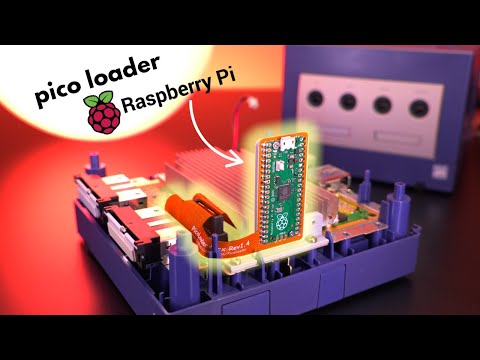
PicoLoader is a simple no soldering approach to booting into Swiss and allows for the retention of the disk drive.
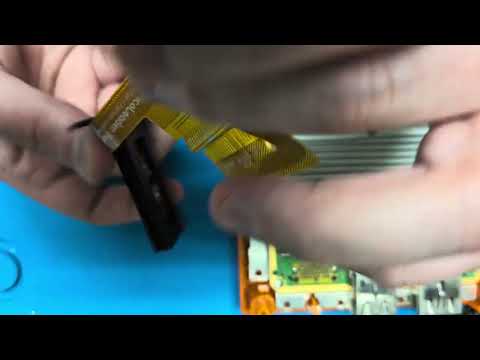
PicoLoaderLB a split flex version of the PicoLoader that is simpler to install and fix in the event of a damaged flex cable.
Two options are available for this version:
Ready To Install PicoLoaderLB:
- PicoloaderLB
- Plug In Flex
- 3D Printed Mount
- M2x6mm screw
- 3D Printed clip to use the kit without a disk drive
- 3D Printed Folding Key
Plug In Flex (Spare)
- Just the plug in flex (in case yours is damaged during your install)
Our flex may not be compatible with other PicoLoader designs with a removable flex cable.
PicoLoader with Swiss (version at time of release) will be installed on the ready to install version.
For newer versions of Swiss or for DIY Kits you will need to supply your own copy of Swiss and use the online converter to create the firmware image and flash to the Pico
Pico Flashing only requires a USB cable, plug in the Pico while holding the boot button, it will show up as a USB drive, just drag and drop the output file from the online converter onto the USB drive and the image will flash to the device.
Installation & Documentation
Please follow the installation instructions in the wiki.
When not following the instructions, there is a chance of breaking the flex PCB during installation.
Take care during install, soldering on Flex pcbs is not as simple as a rigid pcb and can be damaged if the iron is too hot.
Caution:
Laser Bear is not responsible for incorrect installation methods, if the flex PCB is damaged due to creasing, folding issues, or DIY soldering issues we will not replace your PCB or kit.
Replacement Flexs can be purchased if required.
Project Source
License and Acknowledgments from the project:
GPL-3.0 license
- Makeo For creating this project
- silversteel for his help, especially for making the flex PCBs and mounts
- TeamOffBroadway for the amazing idea to use a flex PCB to intercept the drive signals
- Extrems, emukidid and everyone involved in creating swiss
- novenary (9ary) for gekkoboot
The source of gbi.hdr is licensed under GPL-2.0 and available here